Beacon
An AI-driven portfolio & market intelligence dashboard that synthesizes technical indicators, live news sentiment, and LLM reasoning into opinionated trading recommendations.
What's inside
Core Features
Live DataMarket Dashboard
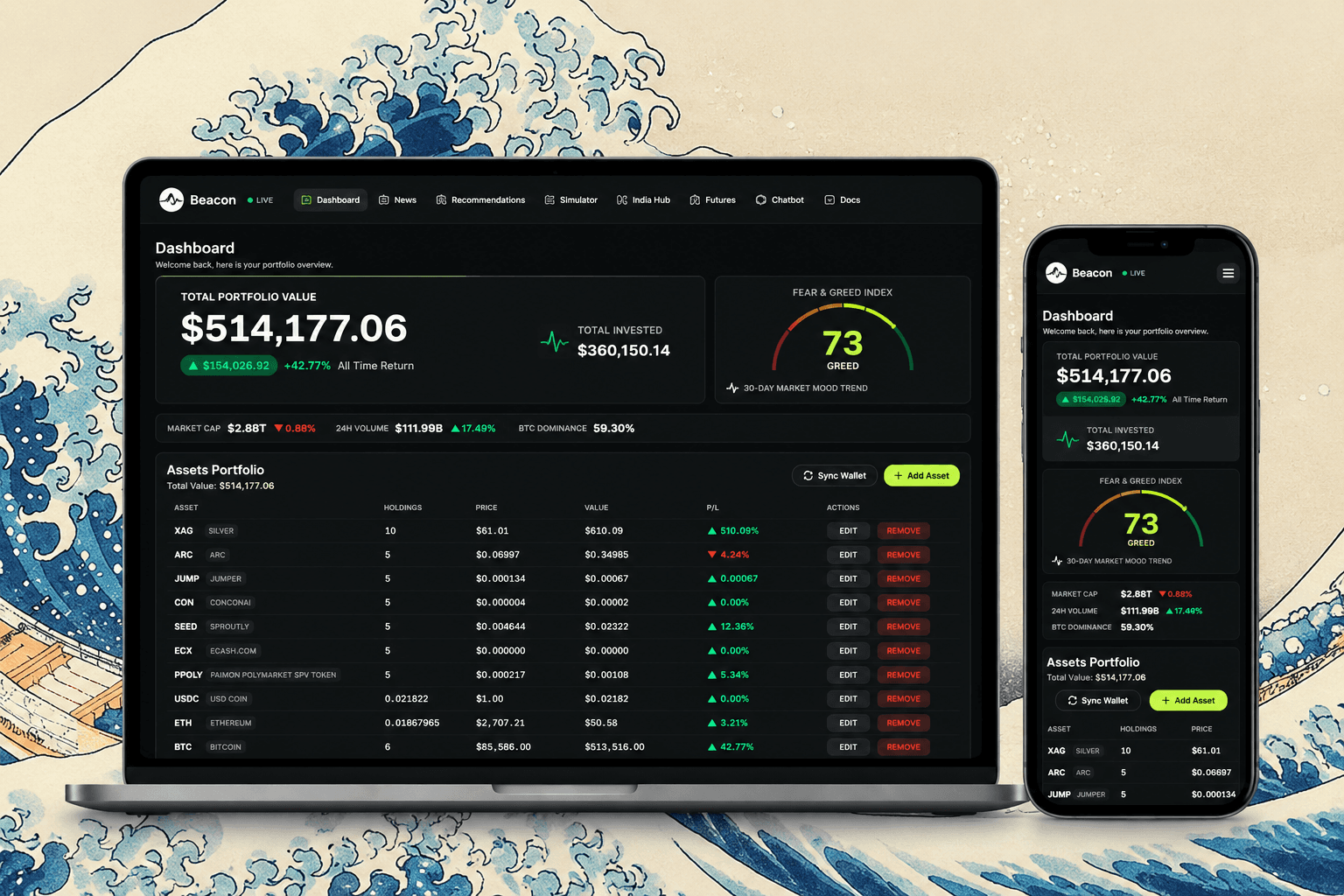
Portfolio & P/L
Real-time P/L tracking against Postgres buying prices. Visualizes portfolio value, 24h market volume, and a live Fear & Greed Index gauge.
 WebSocket
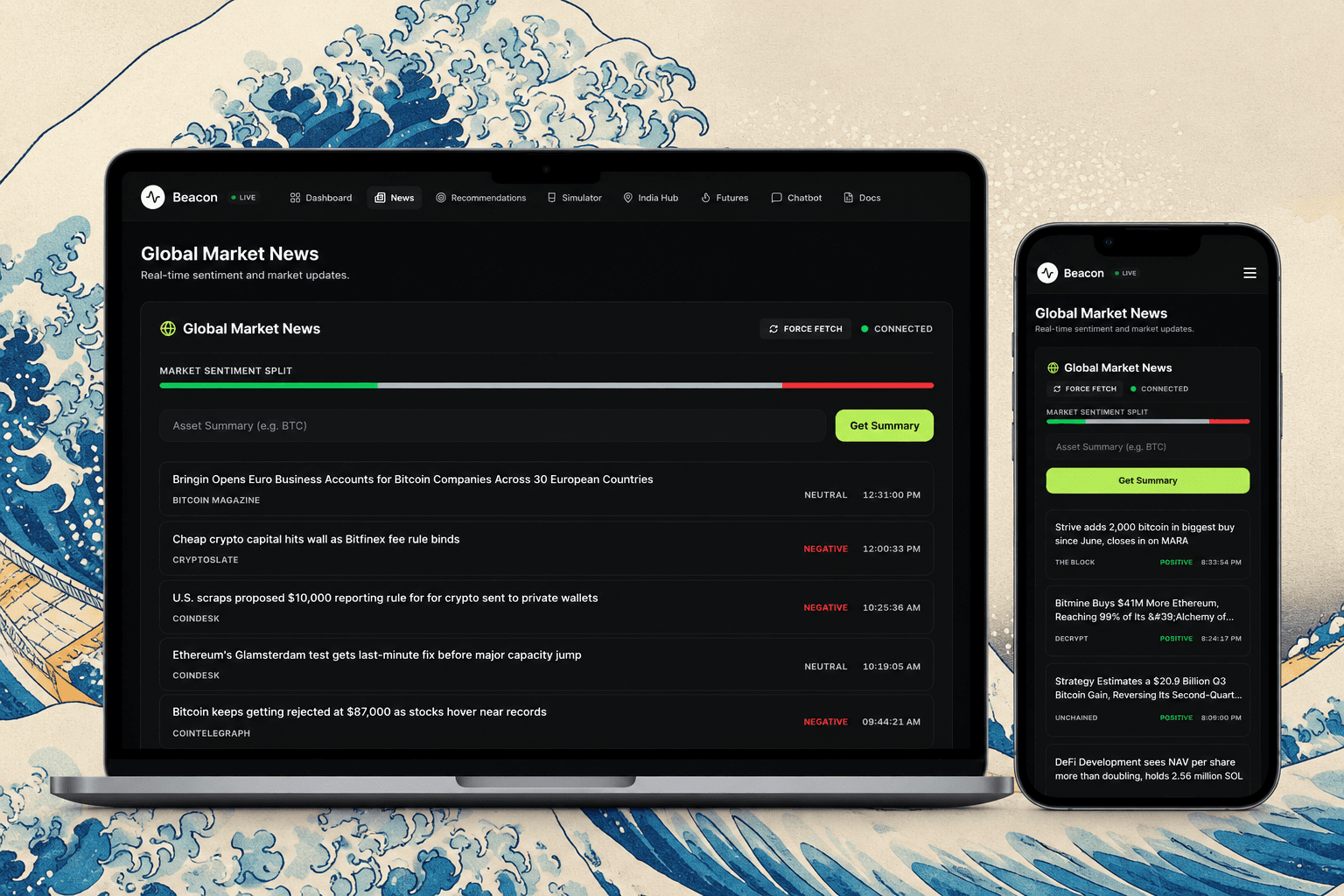
Global News Stream
FinBERT Sentiment
Live WebSocket news with automatic macro sentiment analysis (Positive vs Neutral vs Negative) powered by FinBERT NLP model.
 AI-Powered
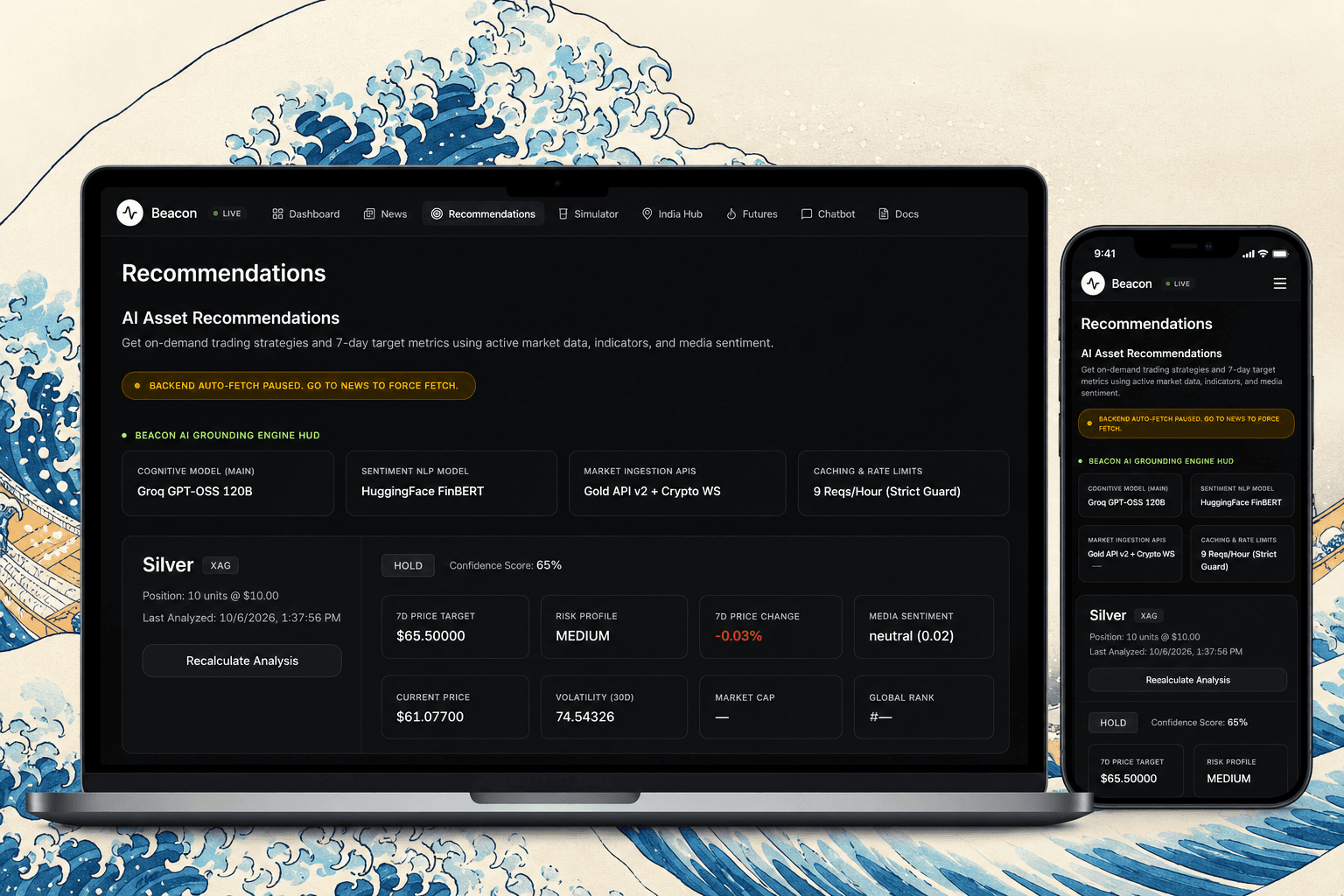
AI Recommendations
RAG Pipeline Output
MACD, Bollinger Bands, Moving Averages, and Volatility — with the AI's exact reasoning bullets and an action conviction score.
 Risk
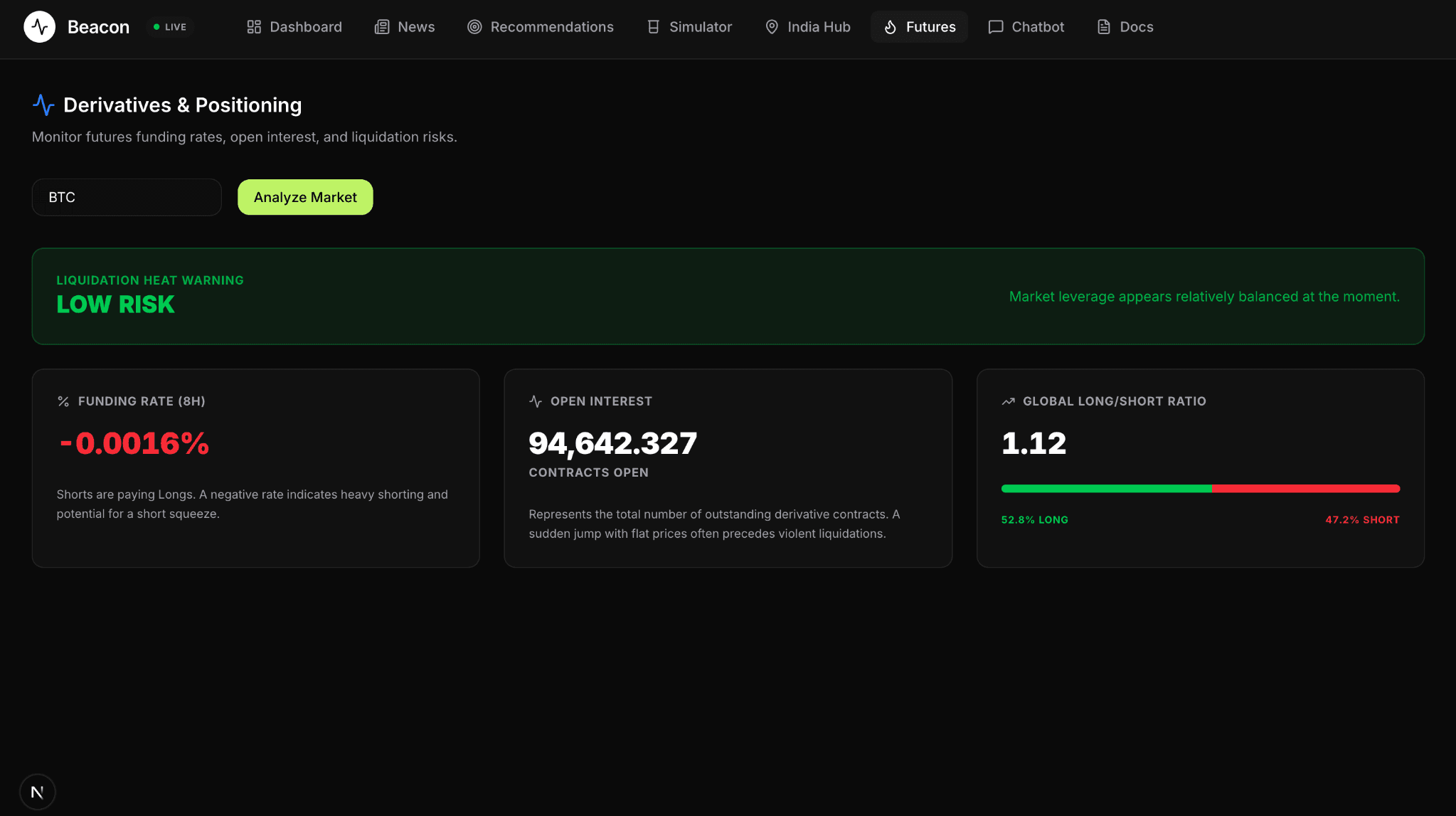
RiskLiquidation Tracker
Derivatives & Futures
Funding Rates, Open Interest, Long/Short Ratios. Proprietary Liquidation Heat score warns of impending long or short squeezes.
 Local
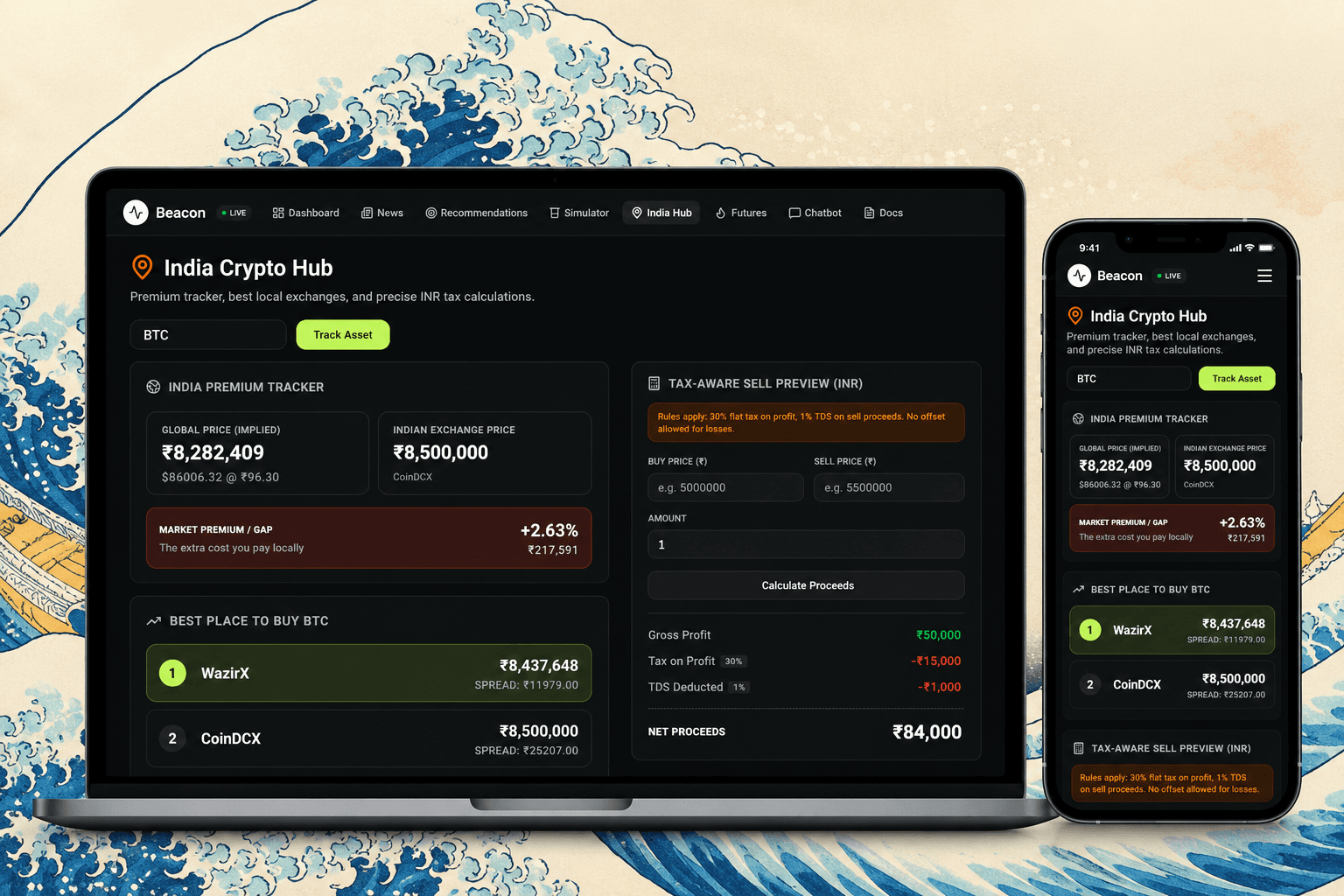
LocalIndia Crypto Hub
Arbitrage & Tax
Measures the 'India Premium' gap between global USD and local INR prices. Includes a tax-aware sell preview for Indian users.
 Simulator
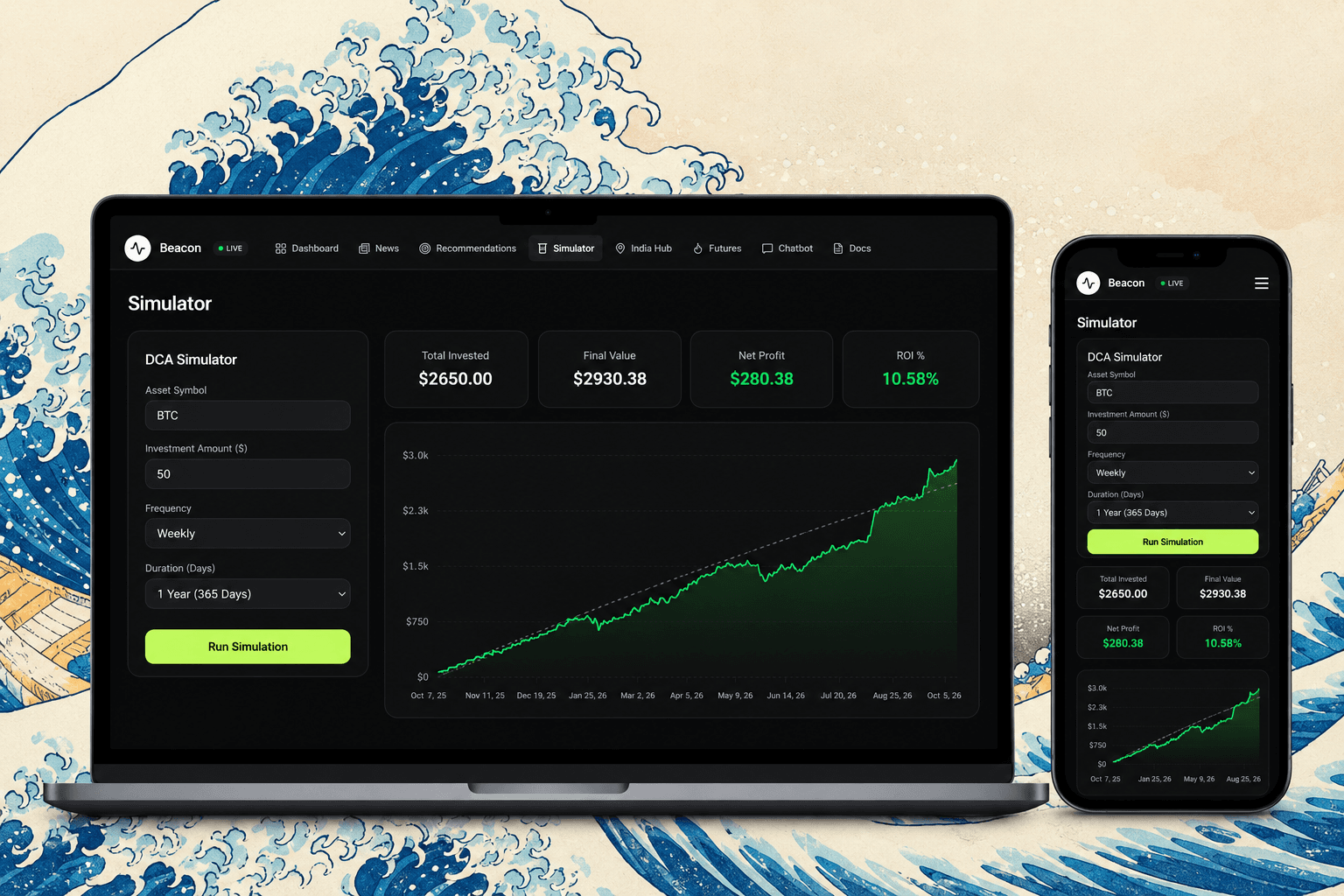
DCA Simulator
Backtesting Engine
Backtest Dollar Cost Averaging strategies with exact buy points on daily/weekly/monthly intervals. Renders a precise Recharts AreaChart.
Component Diagram
How it thinks
AI Cognitive Engine
Beacon's recommendation engine uses a rigorous Retrieval-Augmented Generation (RAG) pipeline tailored specifically for quantitative finance — no hallucination, only grounded math.
Data Ingestion
Queries external APIs for exact 30-day OHLCV data, global market cap, and recent news articles.
Deterministic Math
Computes exact technical indicators (RSI, MACD, Bollinger Bands) server-side to feed factual math to the LLM.
NLP Sentiment
Feeds news titles/descriptions into FinBERT to get a weighted sentiment score from -1 to 1.
LLM Synthesis
Forces the LLM to output a strict JSON schema with price targets, actions, and exact reasoning.
Price Data
- 30D OHLCV
- Live Prices
News Data
- News APIs
- RSS Feeds
Math Engine
- RSI / MACD
- Bollinger Bands
NLP Sentiment
- FinBERT Model
- Score -1 to 1
Context Build
- Merge Signals
- Format Data
Qwen 3.8
- qwen3.8-27b
- Market Reasoning
Strict JSON
- BUY / HOLD / SELL
- Confidence %
Storage
- PostgreSQL
- JSONB Schema
Dashboard
- UI Update
- Simulators
Data layer
JSONB Advantage
Beacon uses PostgreSQL's JSON/JSONB column type via Prisma to handle unstructured LLM outputs without rigid schema migrations.
When the AI prompt is updated to return new indicators, the database adapts automatically — everything is preserved exactly as the model generates it.
model PortfolioAnalysis {
  id          String    @id @default(uuid())
  portfolioId String
  portfolio   Portfolio @relation(
    fields: [portfolioId],
    references: [id],
    onDelete: Cascade
  )

  data        Json     // Full AI output (JSONB)
  createdAt   DateTime @default(now())
}
Self-host
Getting Started
Prerequisites: Node.js v18+, PostgreSQL, Qwen API Key & HuggingFace token.
Clone the repository
git clone https://github.com/punyajain1/Beacon.gitSetup Backend
cd backend
npm install
# Setup .env with DATABASE_URL, QWEN_API_KEY, etc.
npx prisma db push
npm run devSetup Frontend
cd frontend
npm install
# Setup .env.local if needed
npm run devView Dashboard
Navigate to http://localhost:3000
to view the Beacon Dashboard.